What shipped in November: Ascend across the investment lifecycle


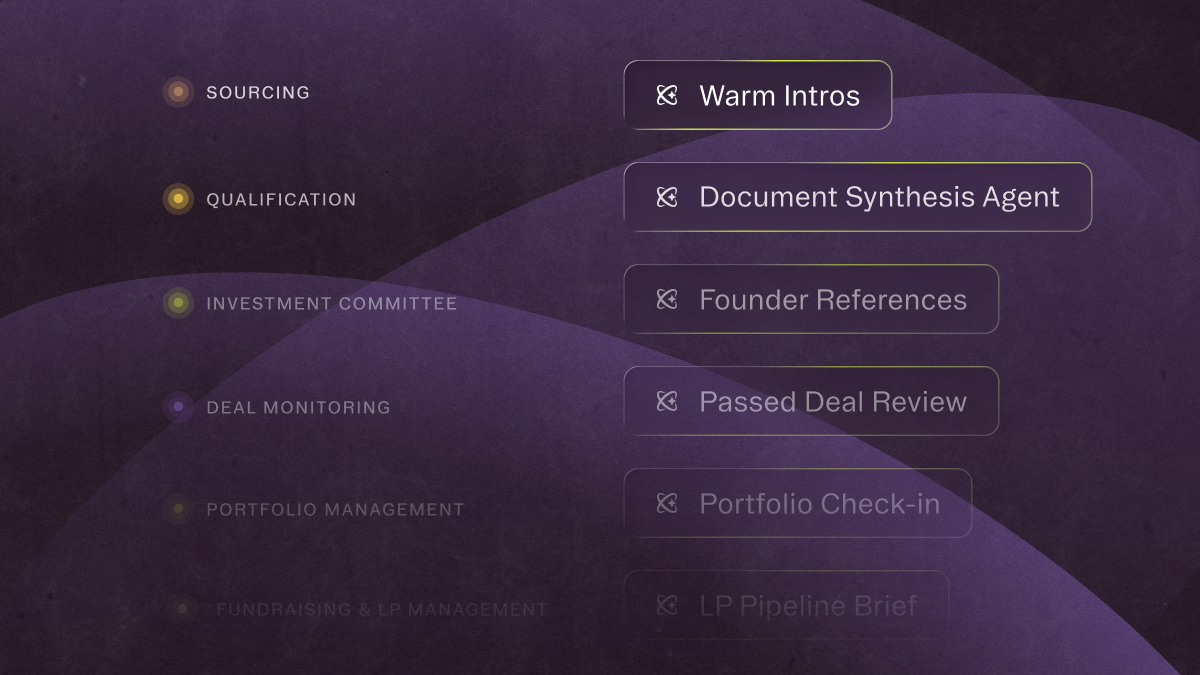
Every week, a deal team asks the same few questions: who knows this founder, which portfolio company needs a call, and what changed in the LP pipeline. The seven new Ascend skills in Affinity MCP answer them from inside Claude, ChatGPT, or Copilot, drawing on what your firm already keeps in Affinity. Our launch post covered what we launched in November and why. This post covers what to ask each skill, and how to get more out of it.
Each section below starts with one of those questions, then gives you the prompts that answer it. One rule holds throughout: Ascend suggests, and your team decides. Nothing changes in Affinity until you approve it.
Before you start
Connect Affinity to Claude, ChatGPT, or Copilot. If you don't see the new skills, disconnect Affinity in your AI tool's connector settings, reconnect it, then restart the app. Your AI tool can keep the old tool list cached.
Skills run when you ask. To run one on a schedule, set it up as a scheduled task in your AI tool.
Deleting or merging records (companies, people, opportunities, and list entries) always waits for your confirmation. Whether other writes ask first depends on your AI tool's settings. Most of the new skills are read-only. LP Pipeline Brief and Ready-to-Raise Indicator can write back to Affinity, such as adding a note or reminder, but only after you confirm.
Read more: Getting Started with Affinity MCP
Find who in your network can get you in the room
Who can introduce me, and who should I call about this founder? Two skills answer that.
Warm Intros, now with Ranked Intro Paths
Warm Intros now ranks every path to a person or company, weighing direct relationships and inferred connections together. Each connection gets a Strong, Moderate, or Weak label. In Claude, click a connection on the map to see the evidence behind it. You'll know why a path ranks where it does before you ask a colleague for the intro.
Try:
- "Who can introduce me to [founder] at [company]?"
- "Rank the warmest paths into [company]. Only show Strong connections."
Then follow up with "Draft an intro request to [colleague] for the top path." It drafts the message. Nothing is sent. Warm Intros isn't available through Copilot Studio.
Read more: Warm Intros in AI Chat and MCP
Founder References
Founder References ranks who to call first, from early investors and former colleagues to ex-employees and customers. It shows the warm path to each person and cites the source behind each recommendation. It asks before building an optional interactive report, and a full run takes about five minutes.
Try:
- "Who at our firm knows the founder of [company]? Pull our references into one view."
Get the latest updates on the companies you care about
What changed at the companies we track, and who needs a call? Company Signals, Portfolio Check-in, and LP Pipeline Brief each answer part of that.
Company Signals
Company Signals finds recent public news, such as funding rounds, product launches, executive changes, and acquisitions. Point it at companies you name or at an Affinity list, and it returns the date and a source link for each item. That gives you a dated reason to reach out, and a source to check before you do.
Try:
- "Find recent news on the companies in our [list name] list."
- "Any funding rounds, executive changes, or acquisitions at [company A], [company B], and [company C] in the last 30 days?"
- "Summarize this month's signals for our portfolio list, with links to the sources."
Portfolio Check-in
Portfolio Check-in compares recent outside news on each portfolio company with when your team last reached out, so you know who to call first.
Try:
- "Which of our portfolio companies need a check-in?"
- "Check our [portfolio list] for news since our last outreach, and rank who to call first."
LP Pipeline Brief
LP Pipeline Brief shows new LPs, commitment changes, stage changes, and LPs that haven't moved in a while or were lost. Your IR team walks into the weekly meeting knowing what moved.
Try:
- "Give me a brief on our LP pipeline."
- "What changed in our [fundraising list] over the last 30 days?"
- "Which LPs haven't moved stages in a while?"
Find the companies worth another conversation
Which companies should we talk to again? One skill looks forward and one looks back.
Ready-to-Raise Indicator
Ready-to-Raise Indicator flags pipeline companies likely due to raise again, estimated from their last round. Use it to decide who to get back in touch with now.
Try:
- "Which companies in [Pipeline] are due to raise again?"
Passed Deal Review
Passed Deal Review surfaces companies you passed on that went on to raise their next round. Results are ranked by how far each company got in your process, with pass reasons and patterns by sector and geography, which turns last quarter's passes into a check on your own pass reasons. You can export the results to Excel.
Try:
- "Analyze our passed deals from last quarter."
- "Which companies we passed on in [list name] went on to raise? Group the pass reasons by sector."
Then ask "Export that to Excel." One setup note: your pipeline list needs passed or lost options in its Status field.
Make data cleanup a quarterly habit
Can we trust the data in our lists before the quarterly report goes out? Data Quality Audit is a read-only check of your lists and fields for issues like empty fields and duplicated or invalid dropdown options. It produces an Excel workbook and a one-page HTML summary of the top fixes. Run it before quarterly reporting, and the numbers in your report come from fields you've checked.
Try:
- "Audit our Affinity lists and fields for data quality issues."
- "Audit the people fields in my CRM."
- "Which dropdown fields have duplicated or invalid options?"
The audit lists what to fix. It doesn't fix records, and it doesn't look for duplicate company or person records. For those, use Duplicate Management in Settings.
Make it routine
Set any of these up as a scheduled task in Claude or ChatGPT:
- Every Monday: "Run a portfolio check-in on our [portfolio list] and list the top five to call."
- Before the weekly IR meeting: "Give me a brief on our LP pipeline for the last seven days."
- Every quarter: "Run a data quality audit on our Affinity lists and fields."
Also new this fall
Summarize a deck from your inbox. With the Document Synthesis Agent, click Summarize on a PDF attachment in Gmail (through the Chrome extension) or Outlook (through the add-in), then pick the record. In Affinity on the web, run it from the Files tab. Only you can see the summaries you request. It works on PDFs up to 22 MB, and the email must be synced to Affinity.
Read more: Document Synthesis
Find someone your network can reach. Search a name, or ask AI Chat, "Do we know [name]?" Open Profile Insights to see who at your firm likely knows them. Click Hide on a suggested connection that doesn't help; it only changes your view. Available on Essentials and up.
Turn a note into CRM updates. Open the note's menu and click Suggest Field Updates, then review the suggestions in Chat. Nothing changes until you confirm.
For admins:
- OAuth apps: connect AI tools to Affinity with a sign-in instead of an API key. Go to Settings, then Manage Apps, then New App, then OAuth App, then Add App. You need the "Manage all OAuth apps" permission.
- API usage: go to Settings, then Usage, to see requests broken down by time, user, and app.
See it live
Join the fall launch webinar on Wednesday, December 2. For the full story behind these releases, read the launch blog.
Enjoyed this? More from this series
What shipped in September: Correct what your agents suggest, and let them work with your files
What shipped in August: New Lists is here, and it's not the only thing that got faster
Related Articles

Put your firm’s network to work